

AI
To help AI better understand Rsdoctor's features, configuration, and best practices so it can provide more accurate assistance during day-to-day development and troubleshooting, Rsdoctor provides the following capabilities:
Agent Skills
Agent Skills are domain-specific knowledge packs that can be installed into Agents, enabling them to give more accurate and professional suggestions or perform actions in specific scenarios.
In the rstackjs/agent-skills repository, there are many skills for the Rstack ecosystem. The skills related to Rsdoctor include:
- rsdoctor-analysis: Use Rsdoctor for build analysis and provide optimization recommendations.
In Coding Agents that support skills, you can use the skills package to install a specific skill with the following command:
After installation, simply use natural language prompts to trigger the skill, for example:
Agent CLI
@rsdoctor/agent-cli is a command-line tool for Agents. It reads Rsdoctor build analysis data and outputs structured JSON, making it easier for Agents to search, filter, and analyze the results.
It is typically used together with the rsdoctor-analysis skill: first use the skill to guide the project through Rsdoctor build analysis, then use Agent CLI to query the generated analysis data.
- Install it in your project (optional, because the skill can automatically install this dependency globally):
- The main
rsdoctor-agentcommands include:
Description:
rsdoctor-agent --help: Show command help, including available subcommands, argument descriptions, and examples.rsdoctor-agent --version: Show the current@rsdoctor/agent-clipackage version.rsdoctor-agent list: List the currently available direct grouped subcommands (for example,group subcommand/group.subcommand) for interactive use. This output is not the same as the catalog<tool-name>values used byquery.rsdoctor-agent query <tool-name> --data-file <path> [--input <json>]: Invoke a specified catalog tool and return the result.<tool-name>: The catalog tool name to invoke, for examplepackages_duplicates.--data-file <path>: Path to the Rsdoctor analysis data file (required).[--input <json>]: Optional extra input passed to the tool (JSON string).
rsdoctor-agent <group> <subcommand> --data-file <path>: Run grouped commands directly for interactive analysis.
Execution examples
-
Skill execution example:
- Prompt:
Use rsdoctor to help me do bundle analysis to see from which aspects the product volume can be optimized.
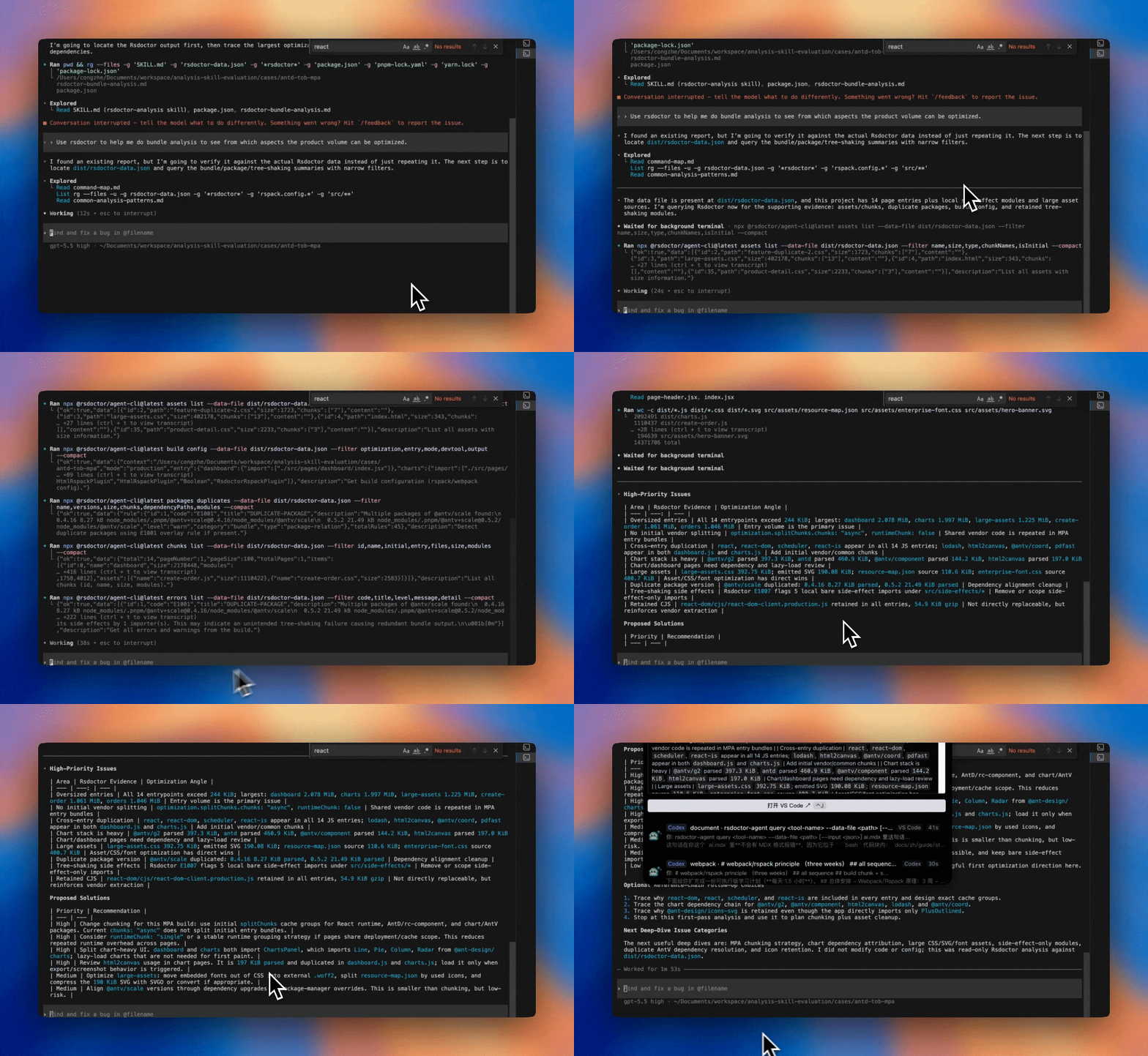
As shown in the animation above, the AI tool runs the corresponding
@rsdoctor/agent-clicommands based on the Rsdoctor skill, retrieves the required data, and outputs optimization suggestions after consolidating the analysis. It also provides a deeper follow-up analysis plan, so you can follow the guidance to further investigate project build issues.
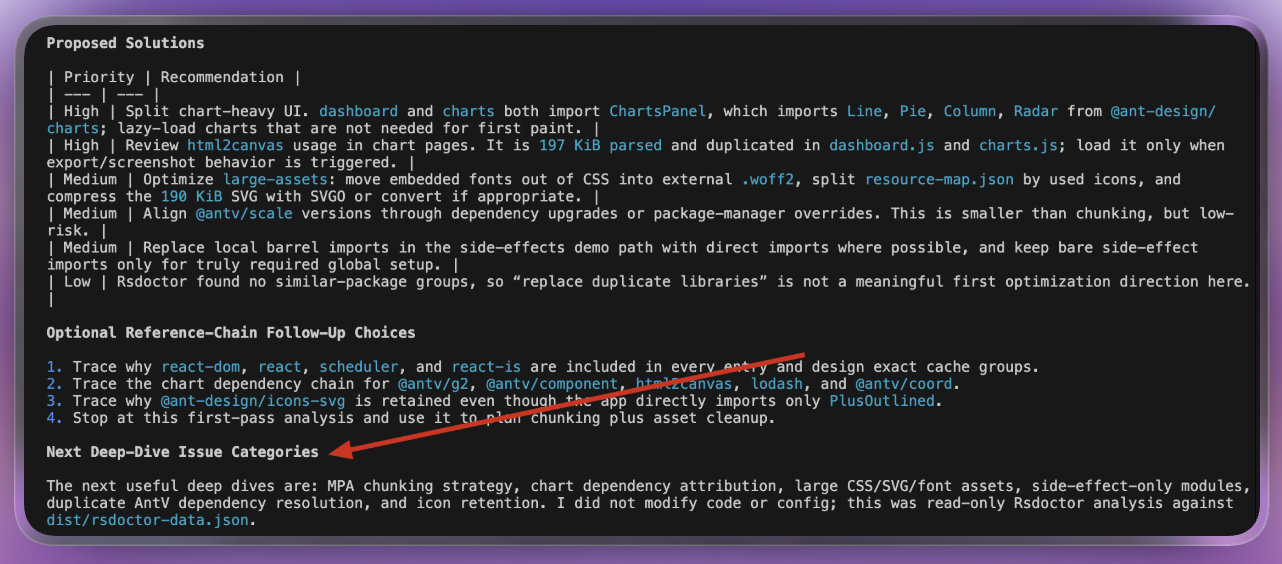
- Prompt:
-
Command example (triggered by skill execution):
MCP Server
Rsdoctor provides MCP Server so AI tools can query your local build analysis data. See the MCP Server documentation.
llms.txt
llms.txt is a standard that helps LLMs discover and use project documentation. Rsdoctor follows this standard and publishes the following two files:
- llms.txt: A structured index file containing the titles, links, and brief descriptions of all documentation pages.
- llms-full.txt: A full-content file that concatenates the complete content of every documentation page into a single file.
You can choose the file that best fits your use case:
llms.txtis smaller and consumes fewer tokens, making it suitable for AI to fetch specific pages on demand.llms-full.txtcontains the complete documentation content, so AI doesn't need to follow individual links - ideal when you need AI to have a comprehensive understanding of Rsdoctor, though it consumes more tokens and is best used with AI tools that support large context windows.
Markdown docs
Every Rsdoctor documentation page has a corresponding .md plain-text version that can be provided directly to AI. On any doc page, you can click "Copy Markdown" or "Copy Markdown Link" under the title to get the Markdown content or link.
Providing the Markdown link or content allows AI to focus on a specific chapter, which is useful for targeted troubleshooting or looking up a particular topic.
AGENTS.md
You can create an AGENTS.md file in the root of a project that uses Rsdoctor. This file follows the AGENTS.md specification and provides key project information to Agents.
Here is an example of Rsdoctor-related content you can add to AGENTS.md:
You can also customize it for your project, adding more details about the project structure, overall architecture, and other relevant information so Agents can better understand your project.
If you are using Claude Code, you can create a CLAUDE.md file and reference the AGENTS.md file in it.